
Learn Autocad API with C# - MVVM - WPF
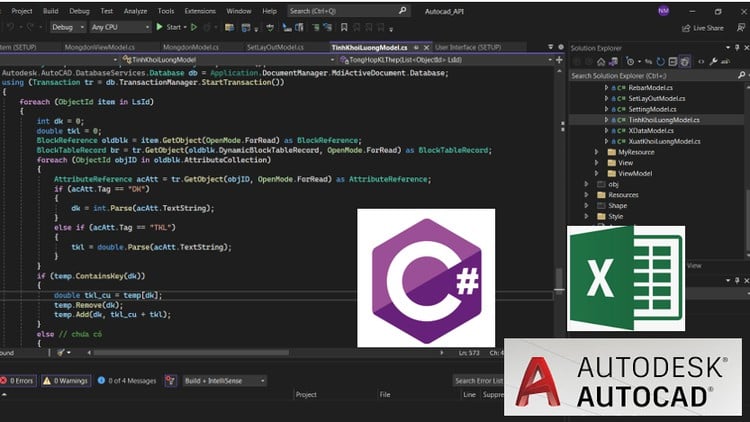
Create Add-in Draw Foundation using Autocad API with C# - MVVM- WPF
4.6
(866 đánh giá)
3,464 học viên

Giảng viên
Nguyen Ngoc Minh
Đánh giá cao
79.000đ
1.899.000đ
-96%
18.5 giờ video
35 tài nguyên
Truy cập vĩnh viễn
Học trên mọi thiết bị
Cập nhật: 28/04/2026
Bạn sẽ học được gì
Yêu cầu
AutoCAD Basics: Understand how AutoCAD works and basic concepts such as coordinate systems, geometric objects, and drawing tools.
C# programming language: Have basic knowledge of C# or a similar programming language. Know the syntax, data types, conditionals, loops and basic concepts of object-oriented programming.
Interest and passion for AutoCAD and programming: This course is aimed at learners who already have an interest and basic knowledge of AutoCAD and programming. Passion and willingness to learn are key to getting the most out of the course content.
However, this course may be suitable for beginner to intermediate learners. Learners do not need to be an expert in AutoCAD or programming, but need to have basic knowledge and be ready to absorb new knowledge.
Đối tượng phù hợp
Nội dung khóa học
8 phần • 43 bài giảng
1
Introduction
1
Install VS 2022 and create folders and install required libraries
1
Create interface for Setting View part 1
2
Create interface for Setting View part 2
3
Create interface for Rebar view part 1
4
Create interface for Rebar view part 2
5
Create interface for General view
6
Combine views into Window part 1
7
Combine views into Window part 2
1
Declare Variable for Setting Model
2
Binding Data from SettingModel into Settingview
3
Draw Canvas for Setting View part 1
4
Draw Canvas for Setting View part 2
5
Draw Canvas for Setting View - p3
6
Draw Canvas for Setting View - p4
7
Radio Buttons change event to change Foundation shapes-p1
8
Radio Buttons change event to change Foundation shapes-p2
9
Handle the TextChanged event for the TextBox
10
Handle events on the TaskBar
11
Handling drawing events in Autocad -p1
12
Handling drawing events in Autocad and Dim dimensions- p2
13
Completing the Centered Foundation Events
14
Completing for other plans Foundation
15
Completing for Section A-A and Section B-B of Foundation
16
Declare variable names and data binding to RebarView
17
Draw a Rebar Layout Canvas on RebarView-p1
18
Draw a Rebar Layout Canvas on RebarView-p2-Finished
19
Display note information on RebarView
20
Handle SelectionChanged, TextChanged events on RebarView
21
Create a steel Tag block and draw the rebar on the plan of Foundation
22
Draw Rebar for Section A-A and Section B-B and Section 1-1
1
Create volume statistics table -p1
2
Create volume statistics table-p2
3
XData and export the volume table to Excel -p1
4
XData and export the volume table to Excel - p2
1
Instructions for creating bilingual settings for the settingView -p1
2
Instructions for creating bilingual settings for the settingView-p2
3
Instructions for creating bilingualism for the RebarView and the content in the
1
Create Layout drawings - p1
2
Create Layout drawings - p2
3
Handling the event of loading Data from Excel into the interface
1
Create Ribbon Menu
2
Setup for different autocad versions- End of course
Giới thiệu khóa học
Throughout the course, students will not only learn the technical aspects of add-in development but also gain valuable insights into best practices and industry standards. We will explore the fundamental concepts of the MVVM pattern and its application in the development of user-friendly interfaces using WPF. Students will acquire a deep understanding of the interaction between the C# code and the AutoCAD environment, enabling them to seamlessly integrate their add-in into the existing workflow.
By the end of the course, participants will be equipped with the knowledge and confidence to create robust and efficient add-ins for foundation drawings in AutoCAD. They will also have a comprehensive overview of the entire development process, from project setup to the contribution of their product to the professional community.
Join this course today and unlock the door to endless possibilities in the world of C# add-in development, MVVM architecture, and WPF framework. Let's embark on this transformative learning journey together and empower ourselves with the skills to excel in the construction industry.
By the end of this course, you will have a solid foundation in C# programming, MVVM architecture, and WPF framework, specifically tailored for add-in development in AutoCAD. You will possess the skills to create robust, efficient, and user-friendly add-ins that streamline the process of drawing foundations.
Don't miss this opportunity to embark on a transformative learning journey. Enroll now and unlock the door to a world of possibilities in C# add-in development for AutoCAD, where you can shape the future of construction with your innovative solutions.
79.000đ
1.899.000đ
-96%
18.5 giờ video
35 tài nguyên
Truy cập vĩnh viễn
Học trên mọi thiết bị
Cập nhật mới nhất: 28/04/2026
Đăng ký VIP để học miễn phí khóa này và truy cập toàn bộ khoá học trọn đời
Học viên thường mua kèm










VIP MEMBERSHIP
Truy cập toàn bộ khóa học chỉ với một lần đăng ký, thời hạn vĩnh viễn
Trở thành thành viên VIP để truy cập không giới hạn tất cả khóa học trên nền tảng, miễn phí cập nhật khoá học mới
Tìm hiểu thêm về VIP